View fixtures and manage the match sheets in the app.
Who this is for
This tutorial is for coaches and team managers viewing fixtures and managing the match sheets in the app.
What you will learn
- Find fixtures and manage the match sheets
Before you start
- Sign in to the app with your account.
- Make sure you have the latest version of the app installed
The fixture details screen
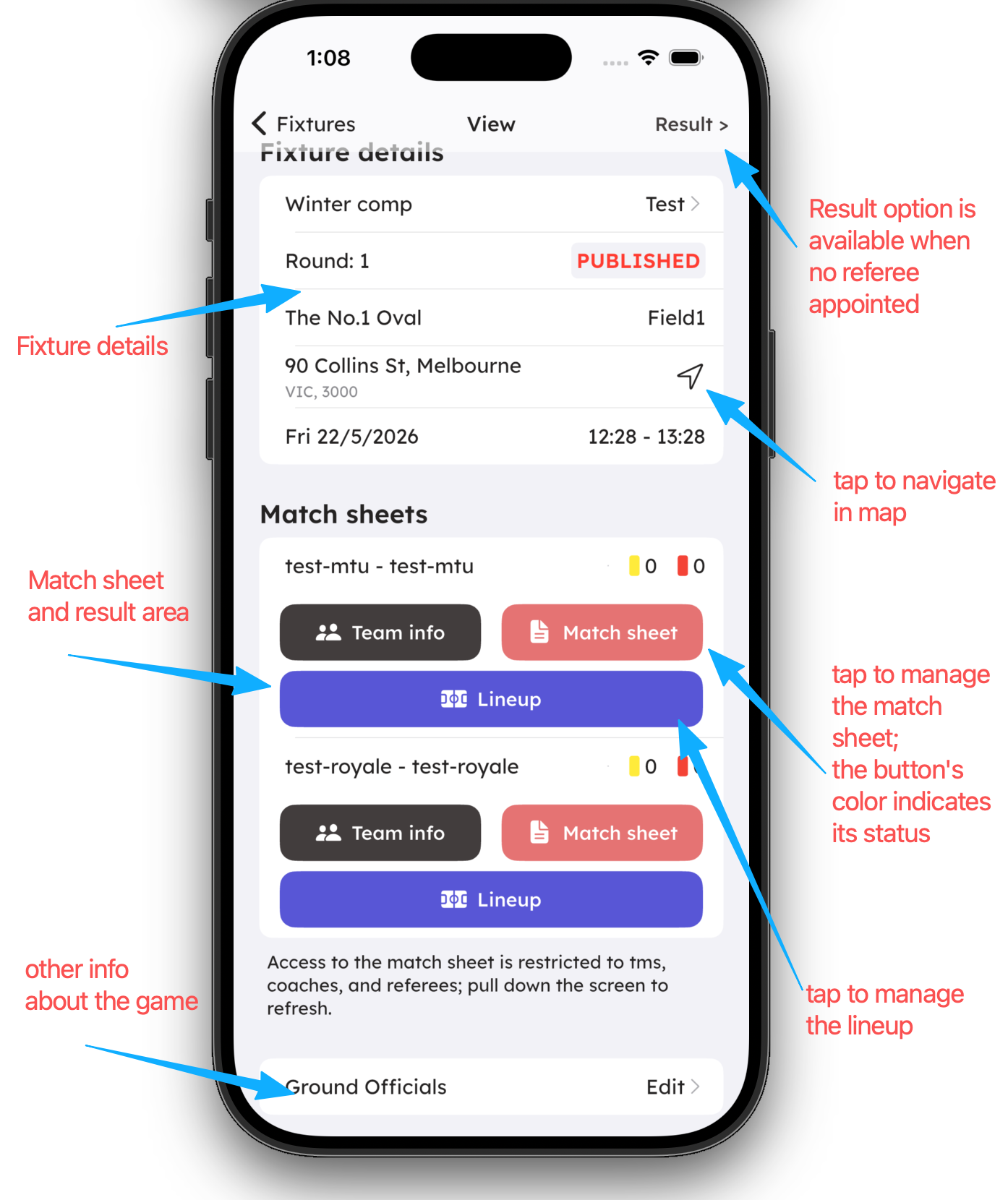
Tap a fixture on the fixtures screen to open the fixture details screen, as shown in the following screenshot:
Manage the match sheet
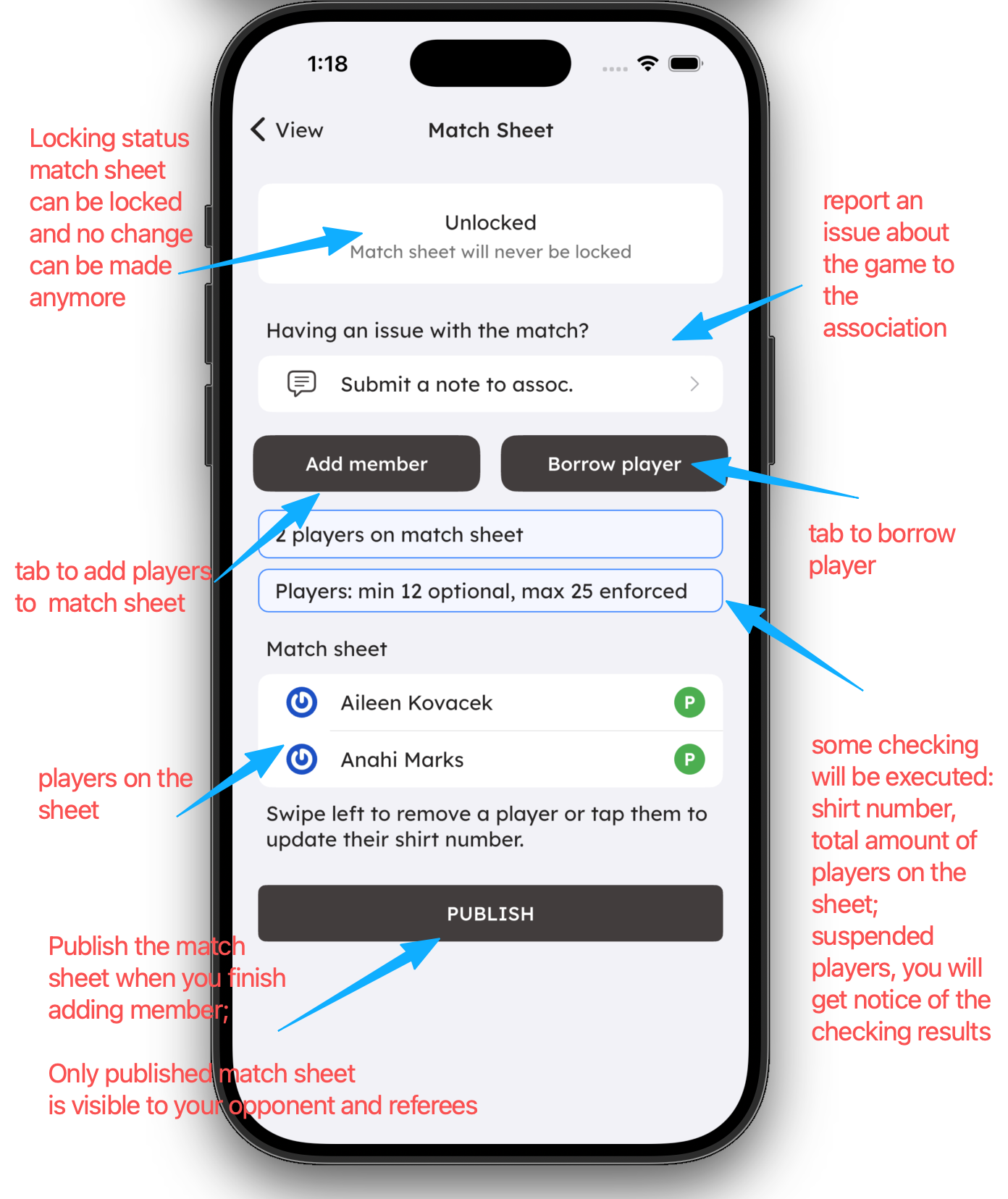
Tap the Match Sheet icon to open the match sheet screen, as shown in the following screenshot:
-
Match sheet locking rules: the association can configure locking rules for the match sheet, and you will be trained on them before the season starts. Once the match sheet is locked, you will no longer be able to edit it.
-
Publish the match sheet: you can publish the match sheet. Once the match sheet is published, your opponents and referees will be able to view your match sheet. You can still update the match sheet after it is published, until the match sheet is locked, but you do not need to publish it again.
-
System checks on the match sheet: the software checks the match sheet when you publish it. If there are any issues, you will be notified. The main checks are:
- If the shirt number is mandatory, all the players must have a shirt number.
- If the minimum number of players is enforced, the match sheet must have at least the minimum number of players.
- If the maximum number of players is enforced, the match sheet cannot have more than the maximum number of players.
- If a player is suspended, they cannot be added to the match sheet.
- If you borrow too many players, you will be prohibited from borrowing more players.
- If you borrow the same player too many times, you will be prohibited from borrowing that player again.
- If the player's age or gender is not eligible for the fixture, they cannot be added to the match sheet.
- Other rules configured by the association.
-
Match sheet status color indicator: the match sheet status color indicator is used to indicate the status of the match sheet. The colors are:
- Green: the match sheet is published.
- Red: the match sheet is not published.
- Yellow: some associations may use a third color to indicate the match sheet checking status.