Learn why and how to add favourite teams to the mobile app.
Who this is for
This tutorial is for anyone who wants to know why and how to add favourite teams to the mobile app.
What are favourite teams?
Favourite teams are teams that you want to follow closely. They are usually teams your children play for or teams you are interested in.
You don't need to favourite your own team, such as a team you play for, coach, or manage.
Why add favourite teams?
Favourite teams is a feature that helps you quickly access information about teams you follow, including fixtures, results, rankings, and more.
In the Fixtures and Tables screens or cards, the default fixtures and tables come from your own teams, such as teams you play for, coach, or manage, and your favourite teams. This saves you from manually filtering through many fixtures and tables.
In the app, you can untick the "Only my teams" checkbox to see all fixtures or tables from all teams, or apply other filters.
See this screenshot for an example:
How to add favourite teams
-
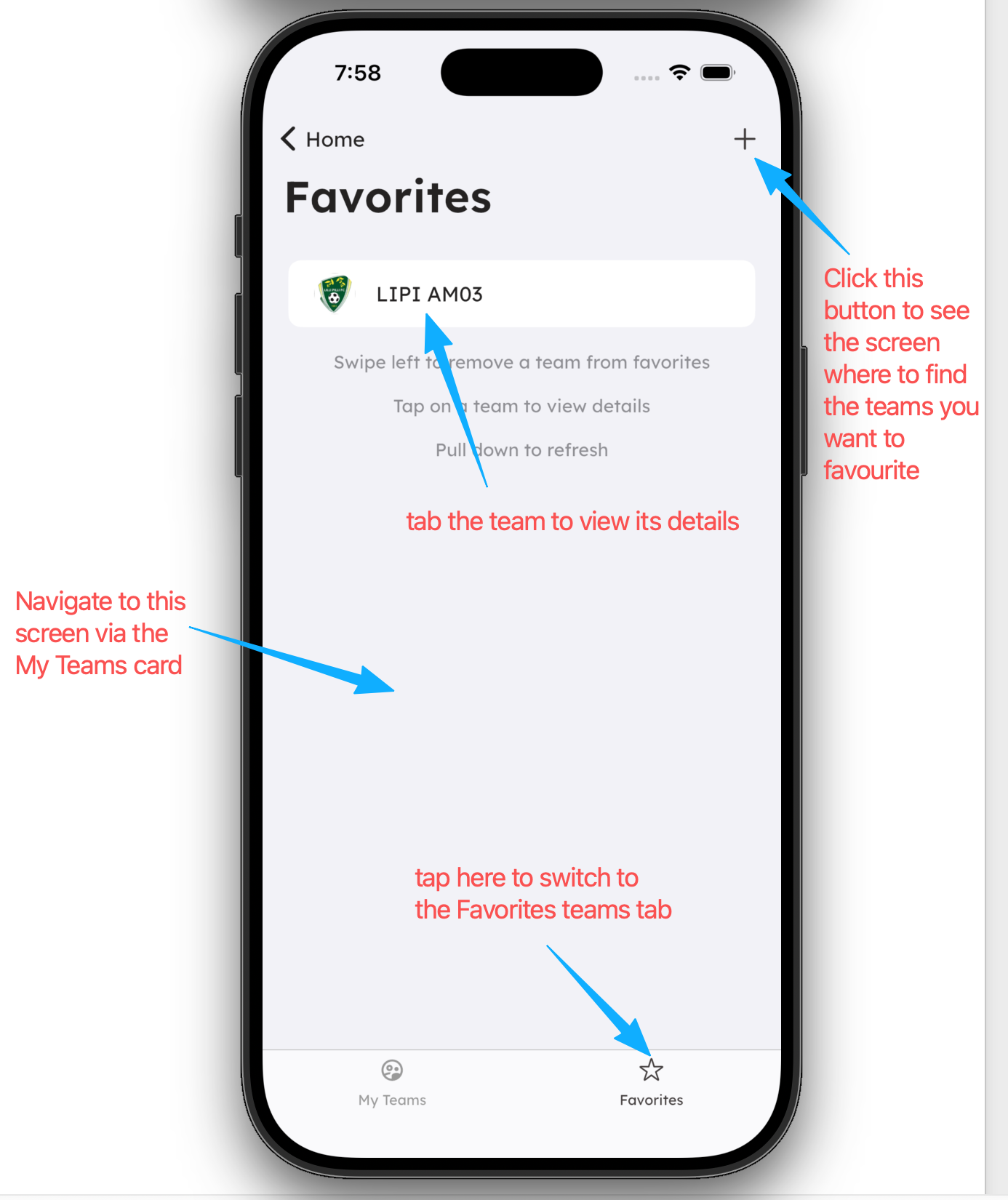
You can add favourite teams in the mobile app by clicking the "+" button in the top right corner of the My Teams screen.
-
You can add an unlimited number of favourite teams.
-
You can remove a favourite team by swiping the team item to the left.